> ## Documentation Index
> Fetch the complete documentation index at: https://docs.foresight.now/llms.txt
> Use this file to discover all available pages before exploring further.
# Deposit via Fiat
> Purchase supported stablecoins using your local currency via card payments. Funds are processed through a third-party on-ramp provider and credited to your Foresight account.
## Quick Overview
* Open the Deposit menu
* Select **Use FIAT**
* Enter the amount in your local currency (e.g., MYR)
* Review the quote and provider
* Complete payment via the on-ramp provider (e.g., AlchemyPay)
* Funds will be credited after successful processing
***
## Step-by-Step Flow
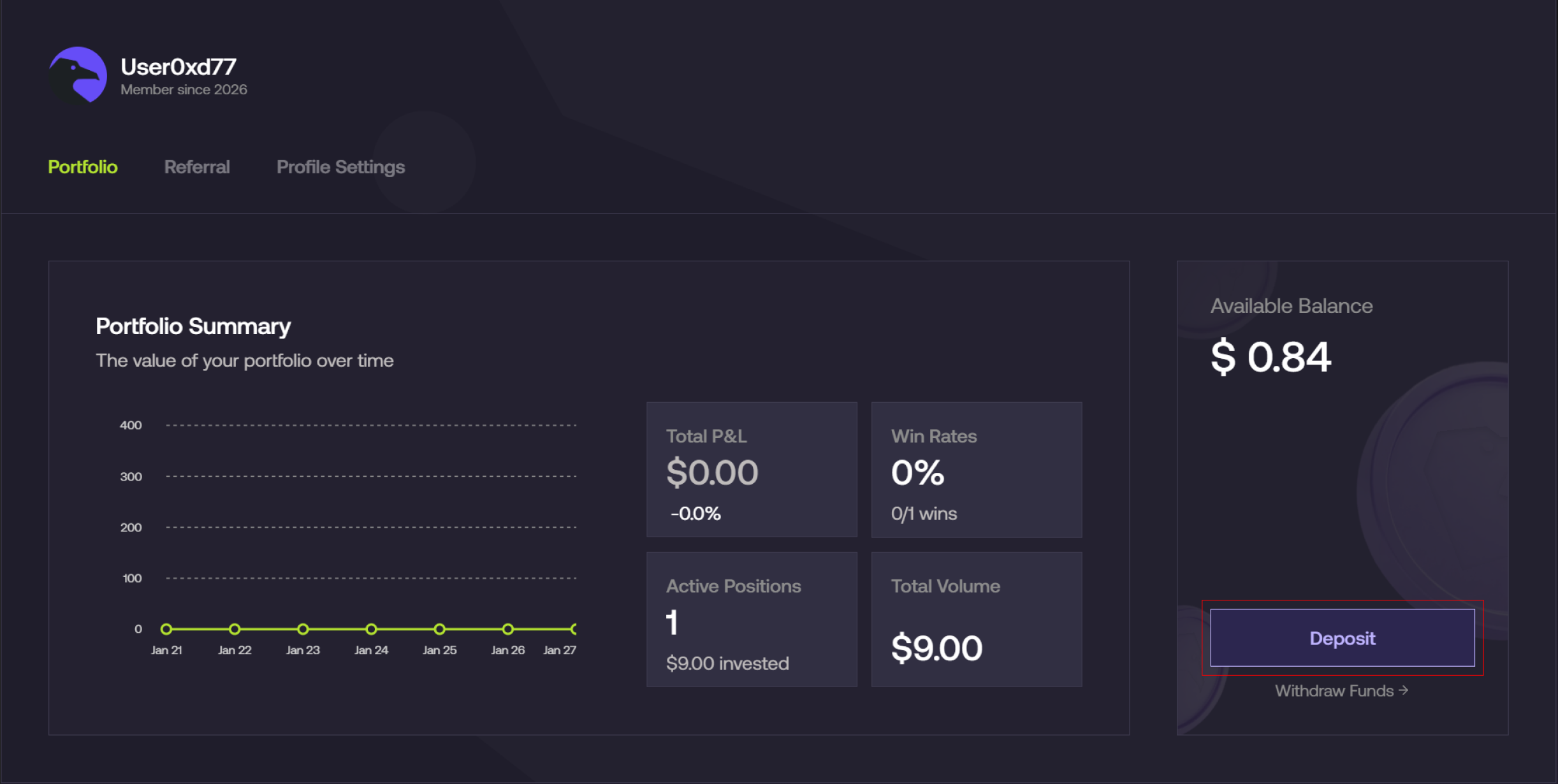
### Open the deposit menu
1. From the Foresight app, navigate to **Profile → Deposit**
 ***
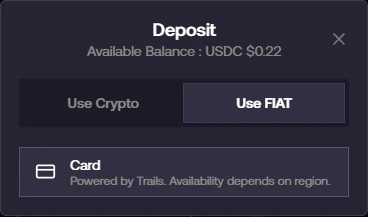
### Select Fiat deposit
1. Select **Use FIAT**
2. Choose **Card** as your payment method
***
### Select Fiat deposit
1. Select **Use FIAT**
2. Choose **Card** as your payment method
 ***
### Enter amount and review quote
1. Enter the amount you want to fund (e.g., **MYR 200**)
***
### Enter amount and review quote
1. Enter the amount you want to fund (e.g., **MYR 200**)
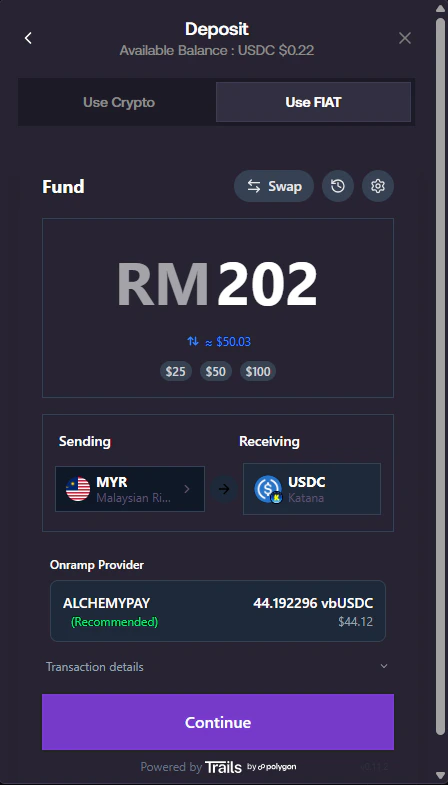 2. Review:
* Sending currency (e.g., MYR)
* Receiving asset (e.g., USDC)
* Estimated conversion value
You may expand **Transaction details** to view:
* Fees
* Exchange rate
***
### Proceed to payment
1. Click **Continue**
2. A secure on-ramp window will open
2. Review:
* Sending currency (e.g., MYR)
* Receiving asset (e.g., USDC)
* Estimated conversion value
You may expand **Transaction details** to view:
* Fees
* Exchange rate
***
### Proceed to payment
1. Click **Continue**
2. A secure on-ramp window will open
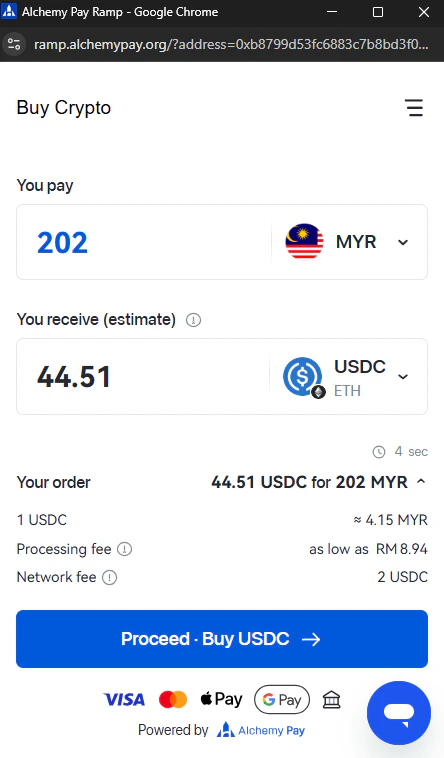 ***
### Complete payment with provider
1. Review your order details:
* Amount to pay
* Estimated USDC received
2. Select **payment method (Card)**
***
### Complete payment with provider
1. Review your order details:
* Amount to pay
* Estimated USDC received
2. Select **payment method (Card)**
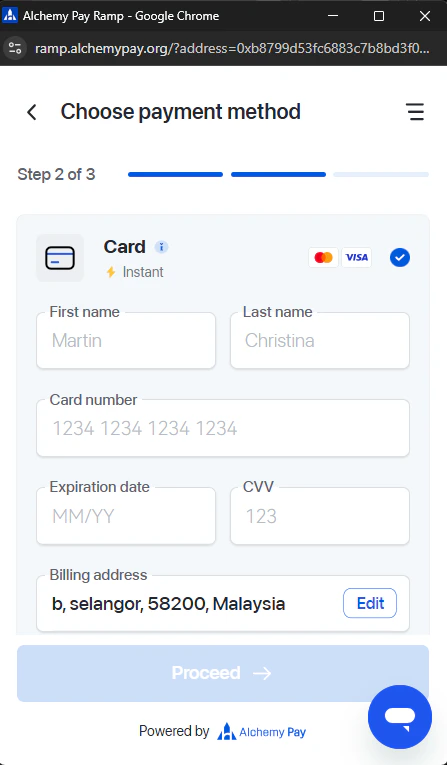 3. Enter your card details and billing information
***
### Identity verification (if required)
Depending on your region or transaction size, you may be required to complete **KYC verification**:
* Upload identification document
* Take a selfie for verification
3. Enter your card details and billing information
***
### Identity verification (if required)
Depending on your region or transaction size, you may be required to complete **KYC verification**:
* Upload identification document
* Take a selfie for verification
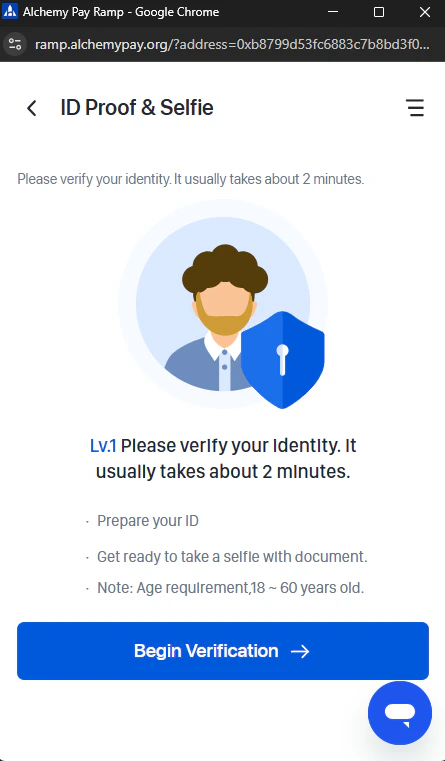 Verification typically takes a few minutes to complete.
***
### Wait for confirmation
1. After completing payment:
* The system will show **pending / processing status**
2. Once confirmed:
* Funds will be credited to your Foresight account automatically
***
Do not close the payment window or navigate away while your transaction is being processed.
Availability, supported currencies, fees, and limits may vary depending on your region and payment provider.
***
## Need help?
Please contact us via our [telegram group](https://t.me/foresightnow) for support.
Verification typically takes a few minutes to complete.
***
### Wait for confirmation
1. After completing payment:
* The system will show **pending / processing status**
2. Once confirmed:
* Funds will be credited to your Foresight account automatically
***
Do not close the payment window or navigate away while your transaction is being processed.
Availability, supported currencies, fees, and limits may vary depending on your region and payment provider.
***
## Need help?
Please contact us via our [telegram group](https://t.me/foresightnow) for support.