> ## Documentation Index
> Fetch the complete documentation index at: https://docs.foresight.now/llms.txt
> Use this file to discover all available pages before exploring further.
# Deposit via Crypto
> Fund your Foresight account by sending supported tokens directly from your wallet using a deposit address or QR code.
## Quick Overview
* Open the Deposit menu
* Select **Use Crypto**
* Choose your token and network
* Copy your deposit address or scan the QR code
* Send funds from your external wallet
* Funds will be credited after on-chain confirmation
***
## Step-by-Step Flow
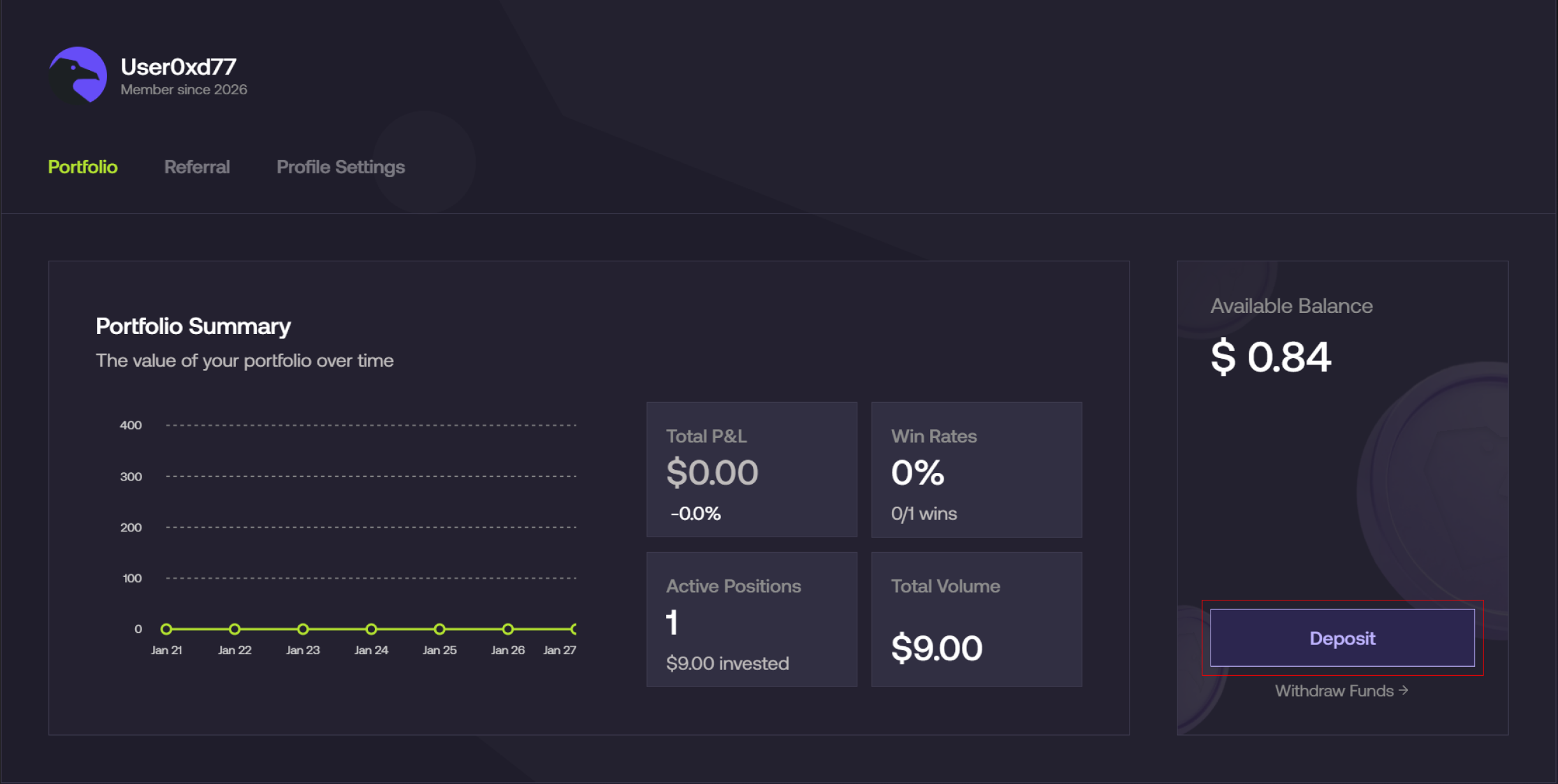
### Open the deposit menu
1. From the Foresight app, navigate to **Profile → Deposit**
 ***
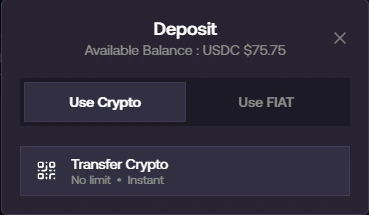
### Select Crypto deposit
1. In the deposit modal, select **Use Crypto**
2. Click on **Transfer Crypto**
***
### Select Crypto deposit
1. In the deposit modal, select **Use Crypto**
2. Click on **Transfer Crypto**
 ***
### Select token and network
1. Choose the token you want to deposit (e.g., **USDC / USDT**)
2. Select your preferred **network**
* Example: Ethereum, Arbitrum, BNB Chain, etc.
***
### Select token and network
1. Choose the token you want to deposit (e.g., **USDC / USDT**)
2. Select your preferred **network**
* Example: Ethereum, Arbitrum, BNB Chain, etc.
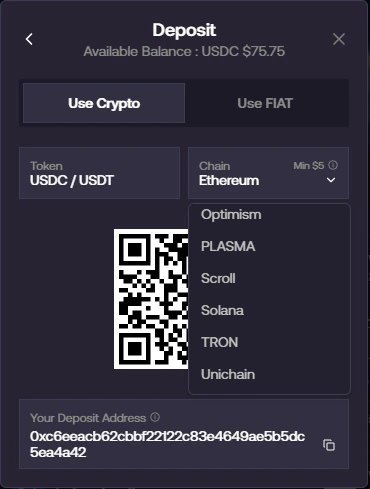 Always ensure the network you select matches the network you are sending from.
***
### Copy address or scan QR code
1. Your unique **deposit address** will be generated
Always ensure the network you select matches the network you are sending from.
***
### Copy address or scan QR code
1. Your unique **deposit address** will be generated
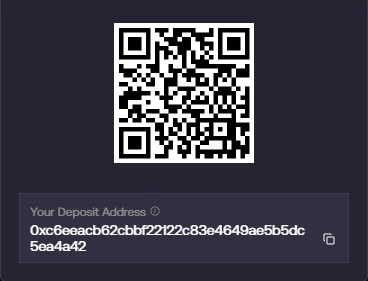 1. Either:
* Copy the address, or
* Scan the QR code using your wallet
***
### Send funds from your wallet
1. Go to your external wallet (e.g., MetaMask, Exchange)
2. Paste the deposit address or scan the QR code
3. Enter the amount and confirm the transaction
***
### Wait for confirmation
* Once the transaction is confirmed on-chain:
* Your funds will be automatically credited to your Foresight balance
Processing time depends on the selected network and current congestion.
***
Always double-check:
* The **network** is correct
* The **deposit address** is correct
Sending funds on the wrong network may result in permanent loss.
***
## Need help?
Please contact us via our [telegram group](https://t.me/foresightnow) for support.
1. Either:
* Copy the address, or
* Scan the QR code using your wallet
***
### Send funds from your wallet
1. Go to your external wallet (e.g., MetaMask, Exchange)
2. Paste the deposit address or scan the QR code
3. Enter the amount and confirm the transaction
***
### Wait for confirmation
* Once the transaction is confirmed on-chain:
* Your funds will be automatically credited to your Foresight balance
Processing time depends on the selected network and current congestion.
***
Always double-check:
* The **network** is correct
* The **deposit address** is correct
Sending funds on the wrong network may result in permanent loss.
***
## Need help?
Please contact us via our [telegram group](https://t.me/foresightnow) for support.