> ## Documentation Index
> Fetch the complete documentation index at: https://docs.foresight.now/llms.txt
> Use this file to discover all available pages before exploring further.
> Withdrawals allow you to move your available balance from Foresight back to your external wallet. All withdrawals are executed on-chain and processed on the network and stablecoin associated with your selected chain (e.g., Katana, Base, or Citrea).
# Withdrawals
This page applies to users using an embedded wallet (Email / Google sign-in).\
If you are trading directly using your own crypto wallet, your funds already remain in your wallet and no withdrawal is required.
## Quick Overview
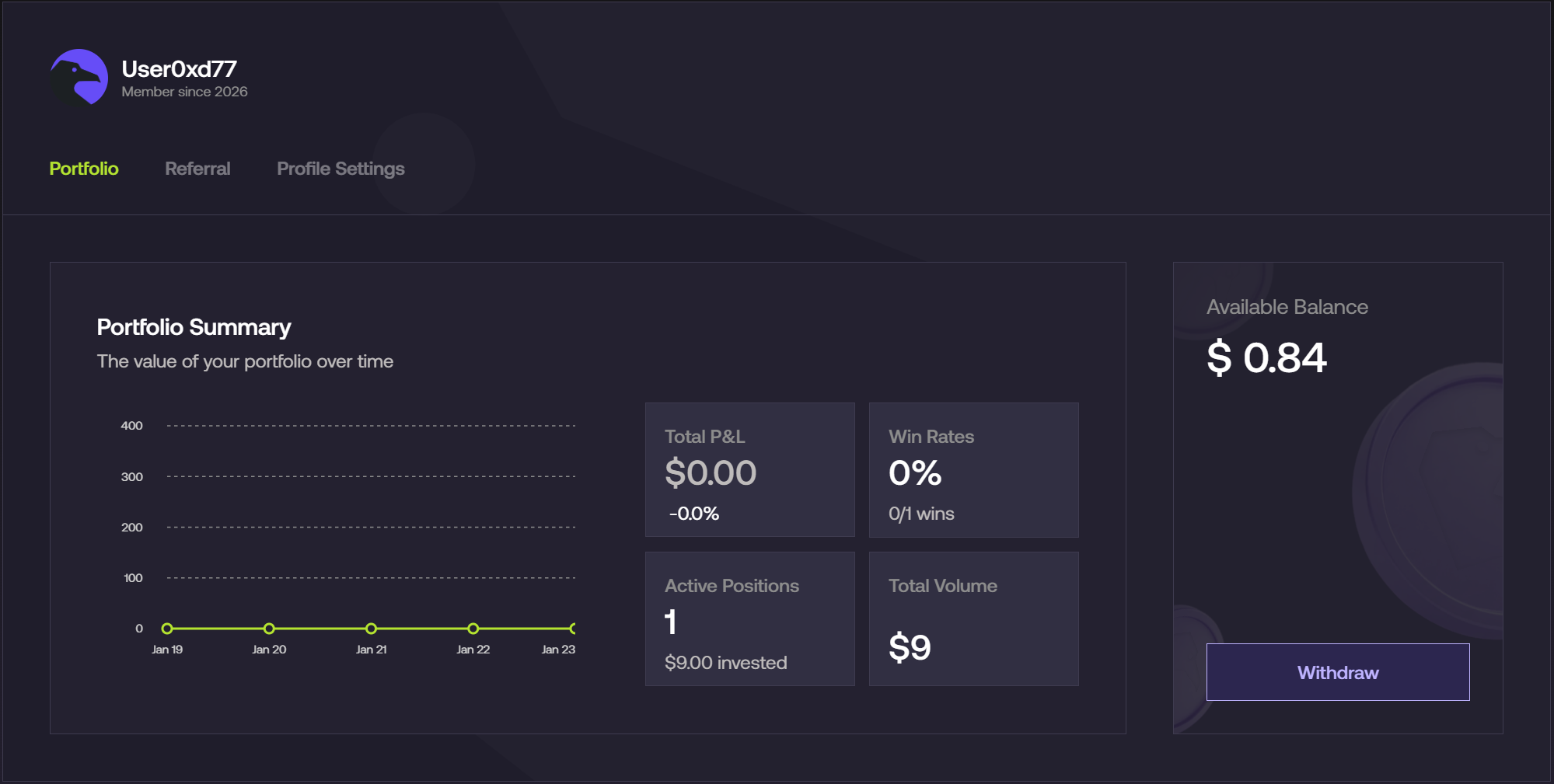
* Open your **Portfolio** and select **Withdraw** from the Available Balance panel.
* Enter your **wallet address** that supports the stable coin on the specific chain. \
for more information :
Trading currency: **vbUSDC**
Contract Address: [**0x203A662b0BD271A6ed5a60EdFbd04bFce608FD36**](https://katanascan.com/token/0x203a662b0bd271a6ed5a60edfbd04bfce608fd36)
Chain ID: **747474**
Trading currency: **USDC**
Contract Address: [**0x833589fCD6eDb6E08f4c7C32D4f71b54bdA02913**](https://basescan.org/token/0x833589fcd6edb6e08f4c7c32d4f71b54bda02913)
Chain ID: **8453**
Trading currency: **ctUSD**
Contract Address: [**0x8D82c4E3c936C7B5724A382a9c5a4E6Eb7aB6d5D**](https://citreascan.com/address/0x8D82c4E3c936C7B5724A382a9c5a4E6Eb7aB6d5D)
Chain ID: **4114**
Trading currency: **USDT**
Contract Address: [0x524bC91Dc82d6b90EF29F76A3ECAaBAffFD490Bc](https://bscscan.com/token/0x524bc91dc82d6b90ef29f76a3ecaabafffd490bc)
Chain ID: **97**
* Specify the amount you want to withdraw (or select **Max**).
* Confirm the transaction and wait for on-chain processing.
* Funds will arrive in your wallet once the transaction is finalized.
## Step-by-Step
### 1. Open the Withdraw Panel
From the Portfolio page, locate your **Available Balance** and click **Withdraw**.
 ***
### 2. Enter Your Wallet Address
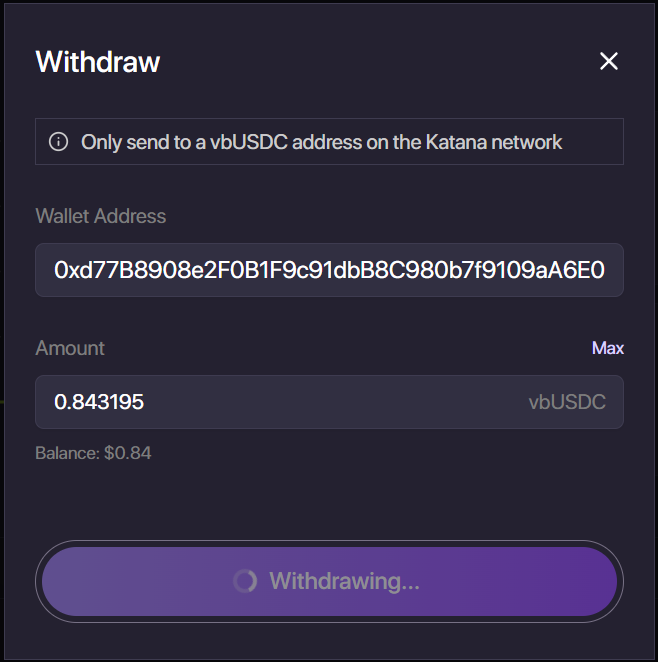
* Paste your wallet address into the **Wallet Address** field.
* Ensure the address supports the stablecoin and network currently selected (e.g., vbUSDC on Katana, USDC on Base, ctUSD on Citrea).
***
### 2. Enter Your Wallet Address
* Paste your wallet address into the **Wallet Address** field.
* Ensure the address supports the stablecoin and network currently selected (e.g., vbUSDC on Katana, USDC on Base, ctUSD on Citrea).
 ***
### 3. Enter Withdrawal Amount
Enter the amount you wish to withdraw, or click **Max** to withdraw your full available balance.
The system will automatically validate your available balance.
### 4. Confirm Withdrawal
Click **Withdraw** to submit the transaction.\
The status will change to **Withdrawing…** while the transaction is being processed on-chain.
Once finalized, the funds will appear in your wallet.
***
### 3. Enter Withdrawal Amount
Enter the amount you wish to withdraw, or click **Max** to withdraw your full available balance.
The system will automatically validate your available balance.
### 4. Confirm Withdrawal
Click **Withdraw** to submit the transaction.\
The status will change to **Withdrawing…** while the transaction is being processed on-chain.
Once finalized, the funds will appear in your wallet.