> ## Documentation Index
> Fetch the complete documentation index at: https://docs.foresight.now/llms.txt
> Use this file to discover all available pages before exploring further.
> Before placing a prediction on Foresight, you need to fund your wallet with supported stablecoins on a supported network. This section explains how to fund your wallet, choose the appropriate network, and safely move assets into the platform.
# How to Add Funds
## About Networks and Trading Currency
### Supported Networks
Foresight supports multi-chain trading and settlement across supported networks, including **Katana**, **Base**, and **Citrea**. Markets may operate on different networks depending on availability and configuration.
When funding your wallet, always ensure that the selected network matches the network supported by the market you intend to trade on.
### Trading Currency
All markets on Foresight are denominated in stablecoins pegged to **USD** (e.g., USDC or equivalent assets depending on network). Stablecoins provide predictable pricing and minimize volatility when placing predictions.
## Who This Section Is For
This section applies mainly to users who signed up using **Email / Google** and are using an **embedded wallet**.
If you signed up using your **own crypto wallet (e.g., MetaMask, Bybit Wallet)**, you can already trade directly from your wallet without using the Add Funds flow. Deposits and balances are managed directly in your wallet.
## Funding Process (Embedded Wallet Users)
### Open the Add Funds Panel
1. Click **Login** and connect your wallet.
2. From the top navigation or trading panel, click your **Balance** > **Deposit**.
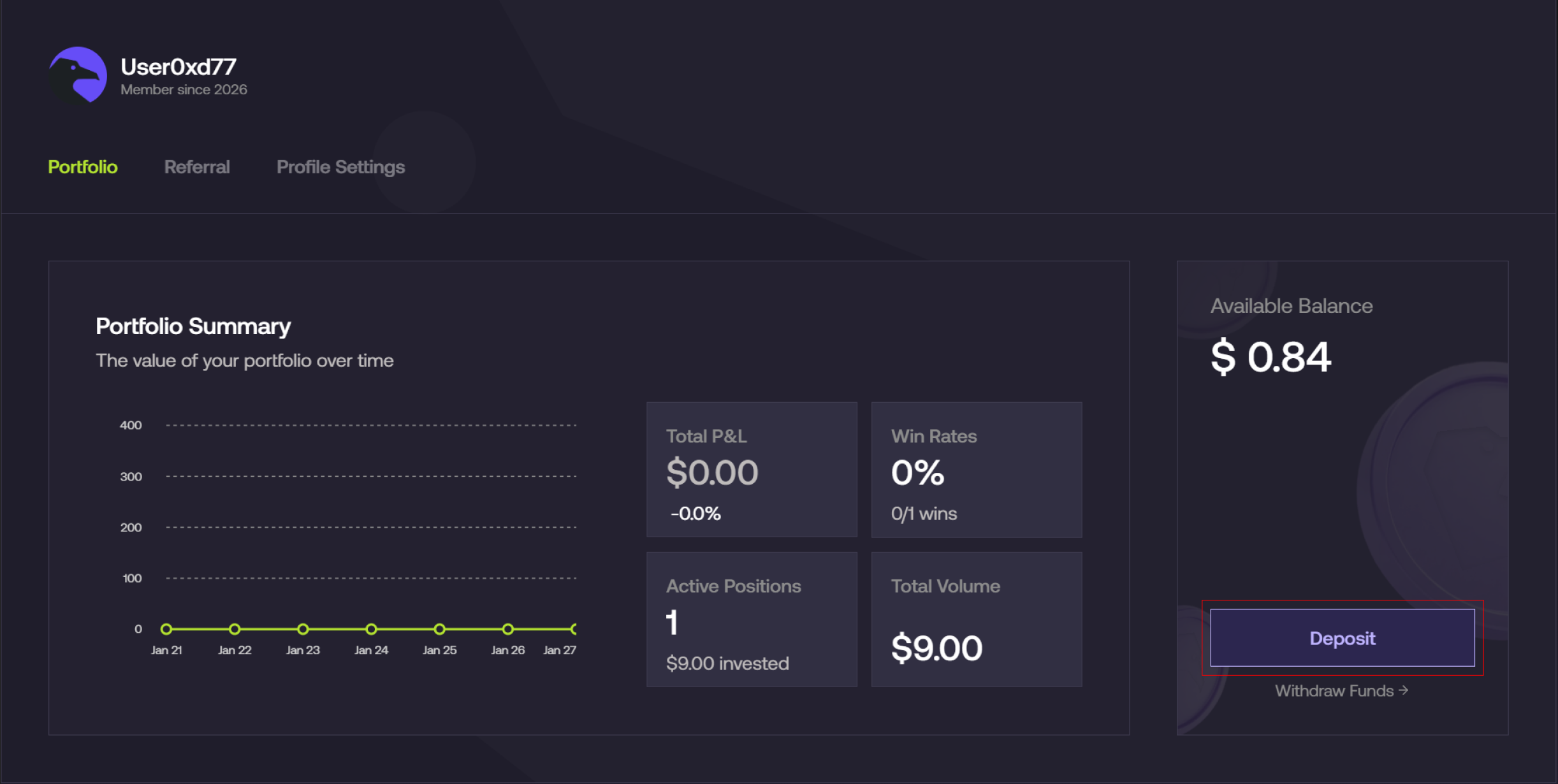 3. The funding modal will display the supported network and token.
Always confirm that the network and token shown match your intended funding source.
## Funding Options
Foresight supports **two primary ways to deposit funds**: **Crypto** and **Fiat**.
Choose the method based on how you prefer to fund your account.
***
### Deposit with Crypto
Use this option if you already hold crypto in an external wallet or exchange.
You can fund your account by transferring supported assets directly to your **Foresight deposit address**.
* Select **Use Crypto**
* Choose your **token** (e.g., USDC / USDT)
* Select your **preferred network**
* Copy your deposit address or scan the **QR code**
* Send funds from your external wallet
Once the transaction is confirmed on-chain, your balance will be credited automatically.
> You may choose from multiple supported networks. Always ensure you are using the correct network when sending funds.
* [How to deposit via Crypto](/guides/deposits-and-withdrawals/deposit-via-wallet)
***
### Deposit with Fiat (Card / Local Currency)
Use this option if you want to purchase crypto directly using your **bank card or local currency**.
* Select **Use FIAT**
* Enter the amount you wish to fund
* Choose your **payment method** (e.g., card)
* Select your **receiving asset** (e.g., USDC)
* Review the quote and provider details
* Complete the payment
Your funds will be automatically converted and credited to your account upon successful payment.
> Availability, supported currencies, fees, and limits may vary depending on your region and payment provider.
* [How to deposit via Fiat](/guides/deposits-and-withdrawals/deposit-via-card-1)
***
Always ensure you are using the correct network and address when depositing crypto. Sending funds via unsupported networks or incorrect details may result in permanent loss.