> ## Documentation Index
> Fetch the complete documentation index at: https://docs.foresight.now/llms.txt
> Use this file to discover all available pages before exploring further.

# How to Sign-Up

> You can create a Foresight account using either an email login or a crypto wallet. Choose the option that best fits your workflow and security preferences.

## Social Sign-Up

When you sign up with email or Google, Foresight automatically creates a secure **embedded wallet** for you. This wallet uses modern cryptographic primitives and battle-tested key management infrastructure to protect your private keys.

You can immediately use this wallet to trade once it is funded, no manual wallet setup required.

**Steps**

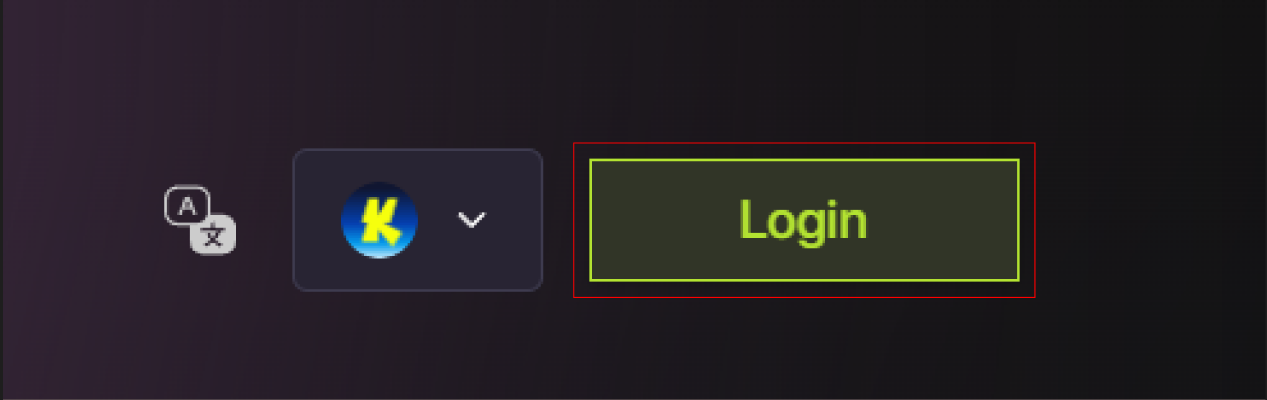
1. Click **Login / Sign Up** on the top right of homepage.
<img src="https://mintcdn.com/foresight-7174a914/j1mPgUlv4MivAPp2/images/%7BD0415A80-1FC6-4D32-9648-2A863F198403%7D.png?fit=max&auto=format&n=j1mPgUlv4MivAPp2&q=85&s=dffe643e7a6c64e5c22f79694c0fa327" alt="{D0415A80 1FC6 4D32 9648 2A863F198403}" title="{D0415A80 1FC6 4D32 9648 2A863F198403}" className="mx-auto" style={{ width:"58%" }} width="1267" height="400" data-path="images/{D0415A80-1FC6-4D32-9648-2A863F198403}.png" />

<br />

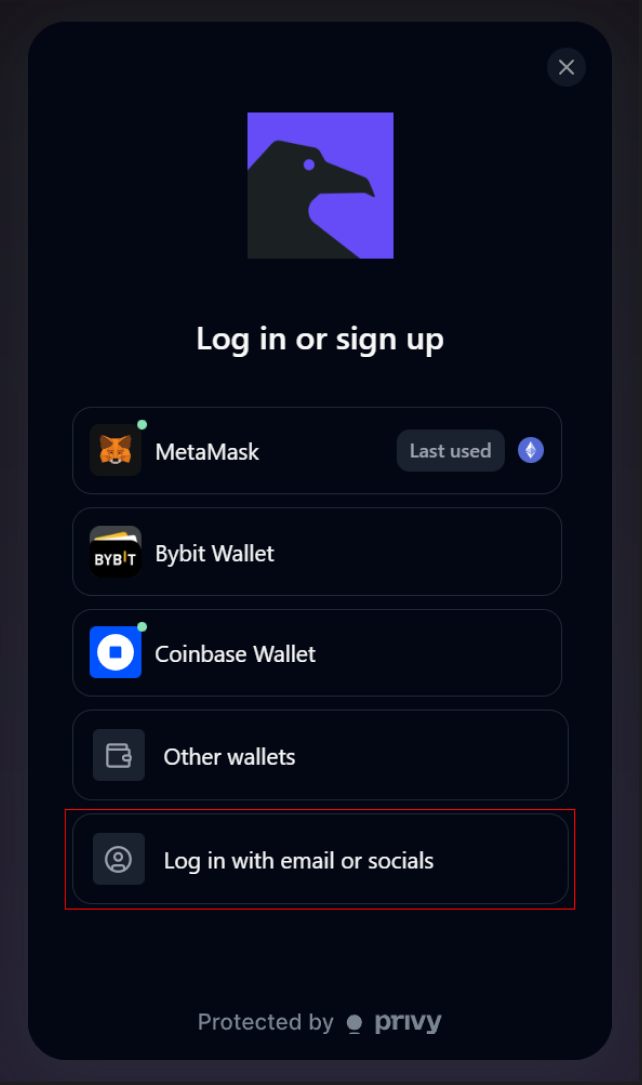
2. Select **Log in with email or socials.**
<img src="https://mintcdn.com/foresight-7174a914/urhsItA60J4bafBk/images/%7B67F528E9-1AF7-4615-B1F2-DD63B3E043F6%7D.png?fit=max&auto=format&n=urhsItA60J4bafBk&q=85&s=f63623e0a2b940978276bbbec19e7148" alt="{67F528E9 1AF7 4615 B1F2 DD63B3E043F6}" title="{67F528E9 1AF7 4615 B1F2 DD63B3E043F6}" className="mx-auto" style={{ width:"51%" }} width="642" height="1085" data-path="images/{67F528E9-1AF7-4615-B1F2-DD63B3E043F6}.png" />

<br />

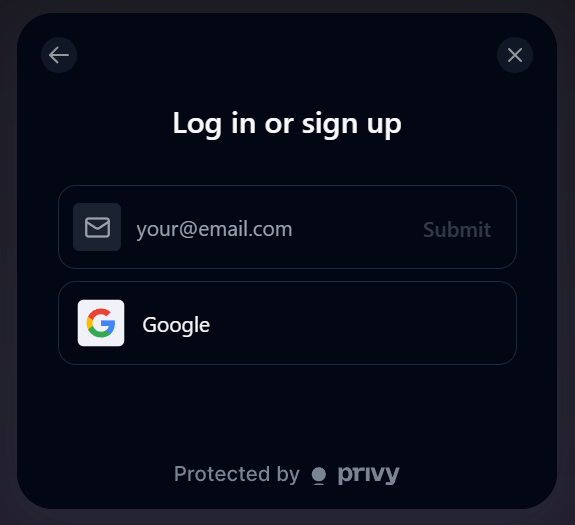
3. Choose to enter your **email** or sign up with **Google** to complete verification flow.
<img src="https://mintcdn.com/foresight-7174a914/urhsItA60J4bafBk/images/download.png?fit=max&auto=format&n=urhsItA60J4bafBk&q=85&s=c87c49c05d2eb427f02789b6ce6e0307" alt="Download" title="Download" className="mx-auto" style={{ width:"50%" }} width="575" height="525" data-path="images/download.png" />

<br />

4. Your embedded wallet is created automatically and linked to your account.

<br />

<Info>
  You can immediately use this wallet to trade, but you need to [deposit](/guides/getting-started/how-to-add-funds) into this wallet.
</Info>

<br />

## **Crypto Wallet Sign-Up**

Use wallet login if you prefer to trade directly using your own self-custody wallet and retain full control over your private keys and funds.

When you connect a wallet, Foresight does not create or manage a wallet for you. All transactions are signed and executed directly from your wallet, and your wallet address becomes your on-chain identity on the platform.

**Steps**

1. Click **Login / Connect Wallet**.

<img src="https://mintcdn.com/foresight-7174a914/j1mPgUlv4MivAPp2/images/%7BD0415A80-1FC6-4D32-9648-2A863F198403%7D.png?fit=max&auto=format&n=j1mPgUlv4MivAPp2&q=85&s=dffe643e7a6c64e5c22f79694c0fa327" alt="{D0415A80 1FC6 4D32 9648 2A863F198403}" title="{D0415A80 1FC6 4D32 9648 2A863F198403}" className="mx-auto" style={{ width:"58%" }} width="1267" height="400" data-path="images/{D0415A80-1FC6-4D32-9648-2A863F198403}.png" />

<br />

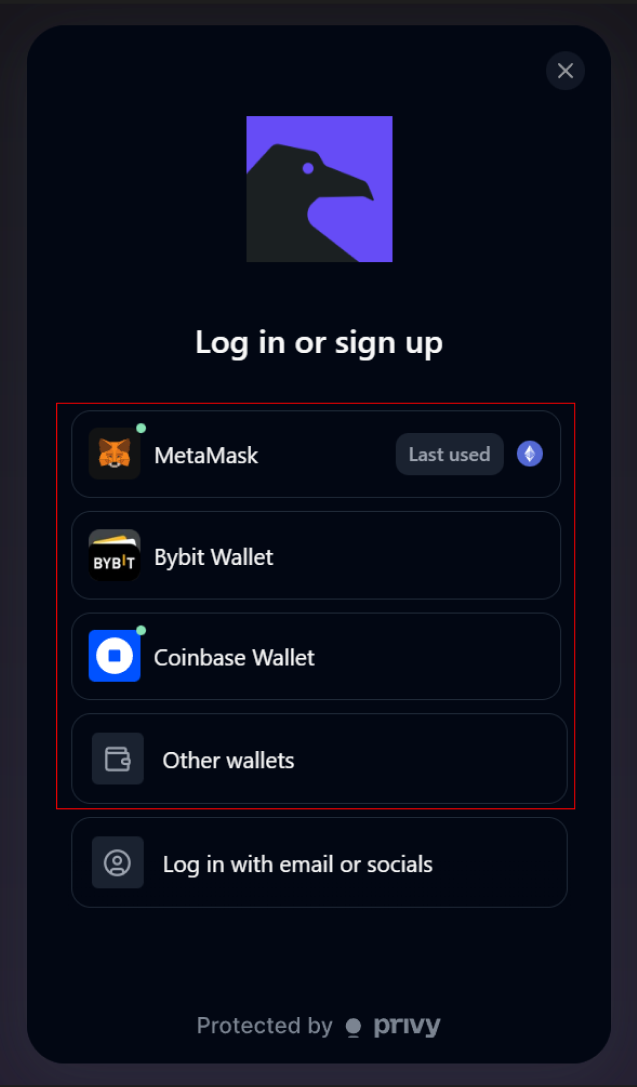
2. Select your wallet provider (e.g., MetaMask or Bybit Wallet and others).
<img src="https://mintcdn.com/foresight-7174a914/urhsItA60J4bafBk/images/%7BECD55CDE-9217-4A9B-BF29-9B9DD069514F%7D.png?fit=max&auto=format&n=urhsItA60J4bafBk&q=85&s=0e515dec93dc34527e85d6632fe24579" alt="{ECD55CDE 9217 4A9B BF29 9B9DD069514F}" title="{ECD55CDE 9217 4A9B BF29 9B9DD069514F}" className="mx-auto" style={{ width:"53%" }} width="637" height="1087" data-path="images/{ECD55CDE-9217-4A9B-BF29-9B9DD069514F}.png" />

<br />

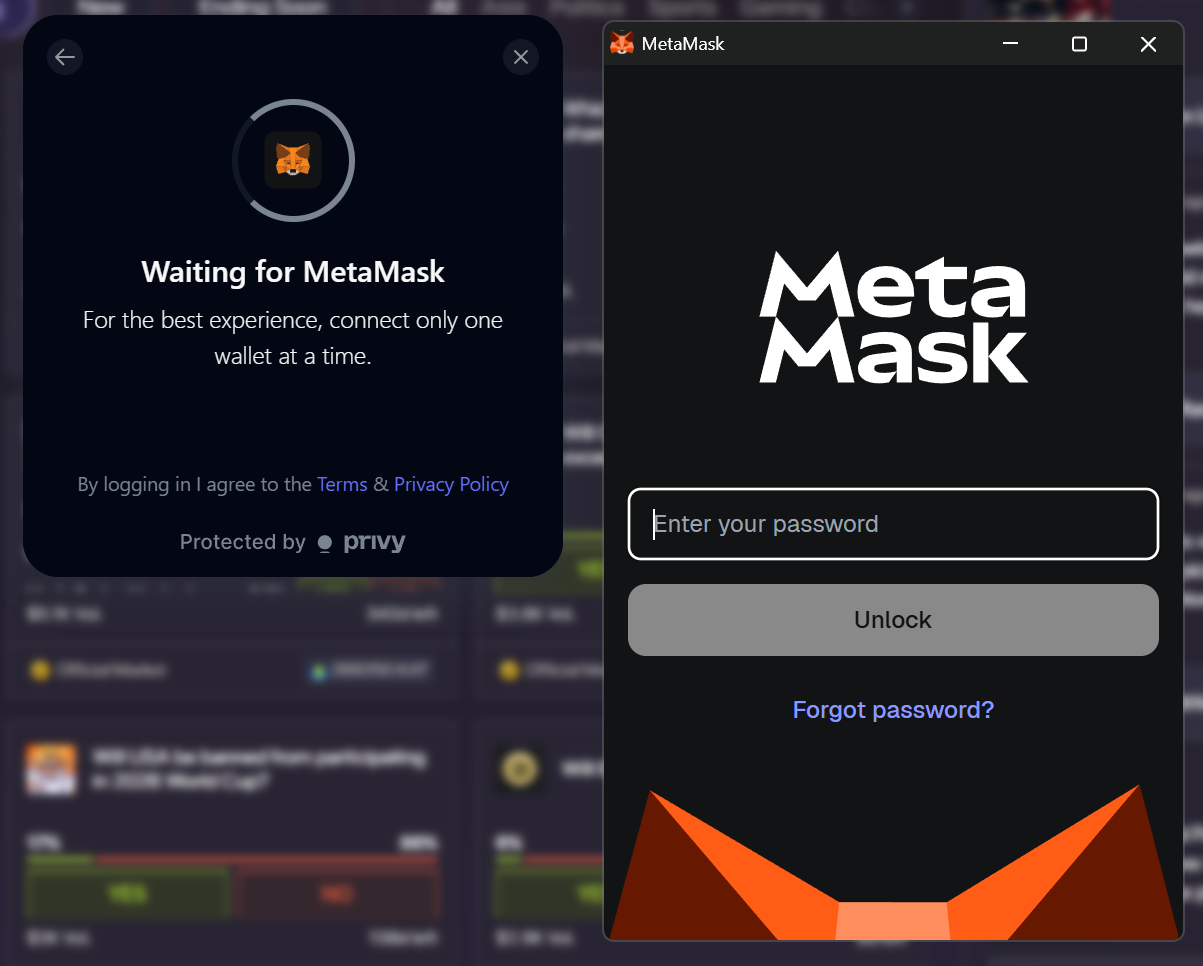
3. If you have the specific wallet extension approve the connection in your wallet and follow the specific steps provided, else scan the QR code provided with your chosen wallet.
<img src="https://mintcdn.com/foresight-7174a914/WlOn9m6cXh4QIoan/images/%7B7DB176C5-4E58-4FCC-B16E-B38D92ED7F20%7D.png?fit=max&auto=format&n=WlOn9m6cXh4QIoan&q=85&s=01808041d0ca814a5a5d7f64c4d36341" alt="{7DB176C5 4E58 4FCC B16E B38D92ED7F20}" title="{7DB176C5 4E58 4FCC B16E B38D92ED7F20}" className="mx-auto" style={{ width:"75%" }} width="1203" height="966" data-path="images/{7DB176C5-4E58-4FCC-B16E-B38D92ED7F20}.png" />

<br />

4. Ensure your wallet is connected to a supported network (e.g., Katana, Citrea, or Base).

<br />

<Warning>
  **Wallet & Network Compatibility**

  Not all wallets support every blockchain network.

  * Example: **Phantom does not support Katana.**
  * Always verify that your wallet supports the network you plan to use before connecting.

  Using an unsupported wallet may prevent balances from displaying correctly or transactions from completing.
</Warning>

<br />

## Next Step

Once your account is created, you can fund your wallet and place your first prediction.
