

Seeding Markets
On this page, you can browse and support markets that are currently in the seeding phase.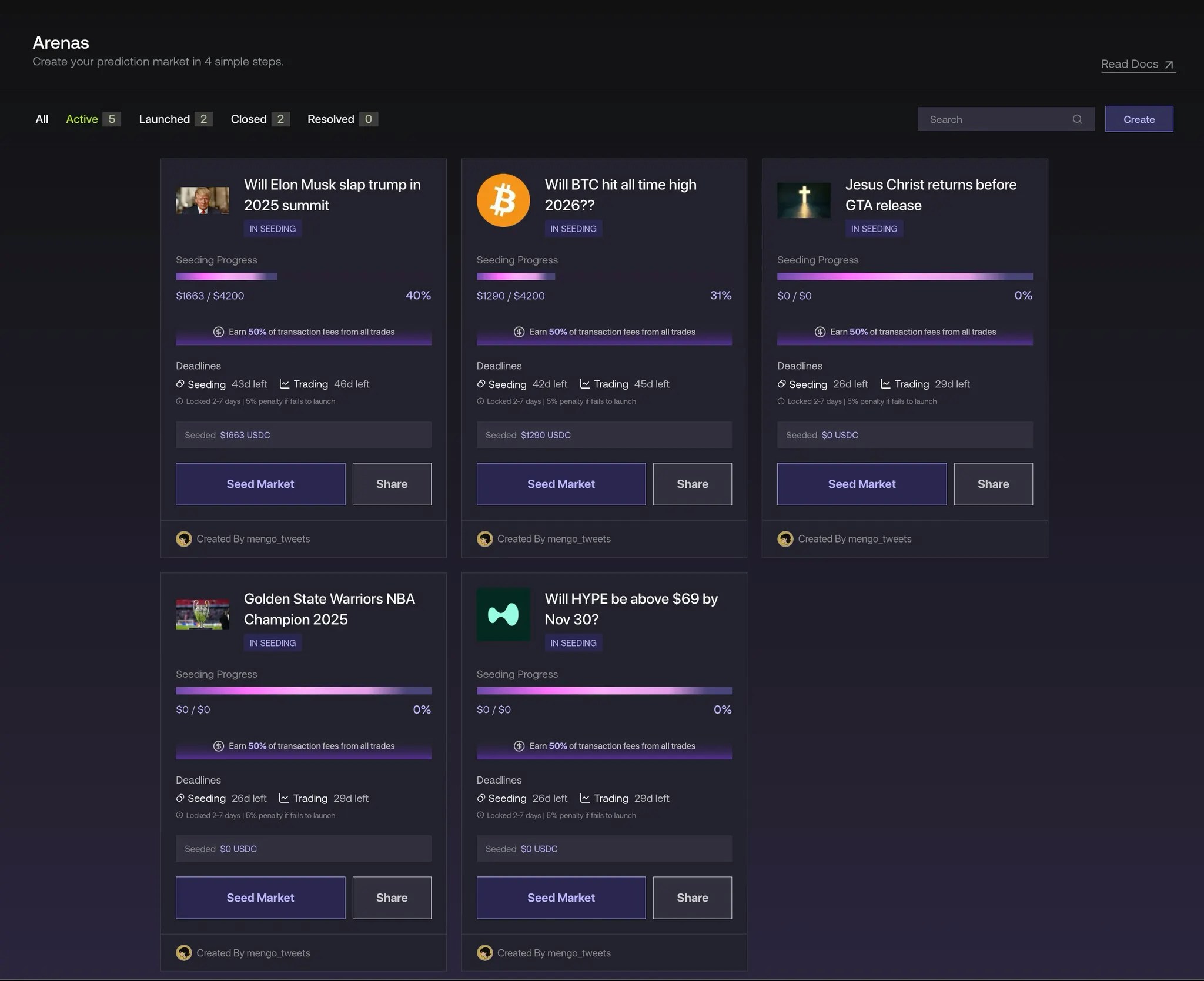
1. Choosing a Market to Seed
Select a market you believe in and want to help activate. Each market must reach its seeding goal of $1,000 before the seeding deadline to move into trading.- If a market meets the goal, it will automatically advance to open trading.
- If a market fails to reach the goal by the deadline, it will expire. Users can then unstake their funds directly from the contract, with a 5% penalty fee applied. This small fee goes to the protocol to discourage spam submissions and promote more intentional market creation.
2. How to Participate
- Seed Market: Click Seed Market to visit the seeding page and stake on the selected market with your desired amount
- Share: Click Share to post the market directly to X (Twitter) and attract other seeders or traders to help the market reach its goal.
3. Purpose of Seeding
The seeding phase ensures each market has sufficient initial liquidity and community interest before it becomes tradable. By seeding early, you not only help the market go live but also earn potential bonus yields and fee rewards once the market resolves.Seeding Steps
Enter Your Amount
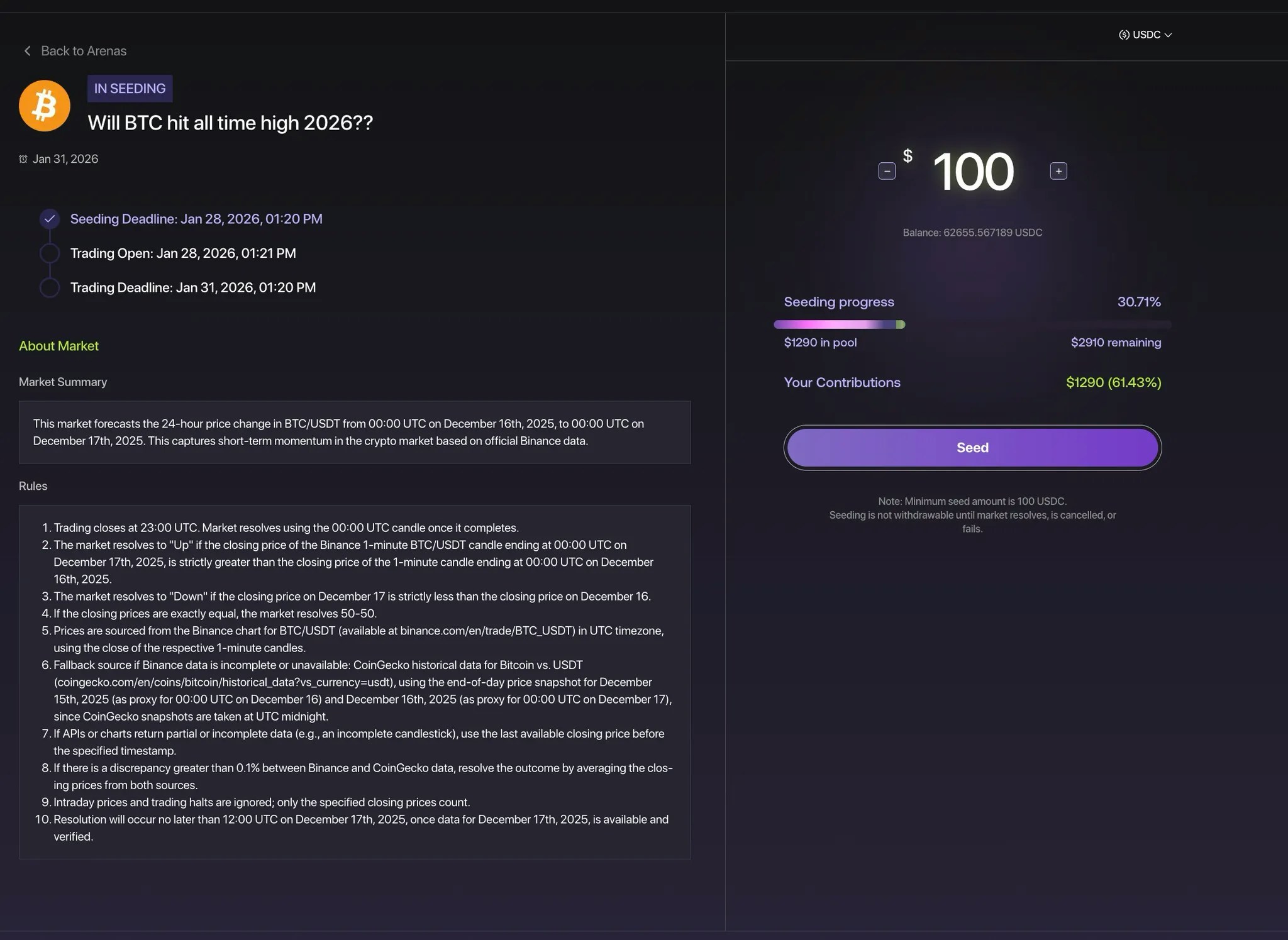
- Current progress for the market.
- Total seeding goal
- Your contributions and share of the pool
Review Market Summary & Rules
On the left side, you’ll find full context for the market you’re entering:- Market Summary: A short overview of what the market is about — including recent performance, forecasts, and relevant event details.
- Rules: The exact criteria used to resolve the market, including data sources (e.g., Binance), edge conditions, and resolution time.This ensures every participant understands exactly how the outcome will be verified and what counts as a win.
Failed Markets
If a market doesn’t reach its required seeding goal by the seeding deadline, it automatically enters a “Failed” state.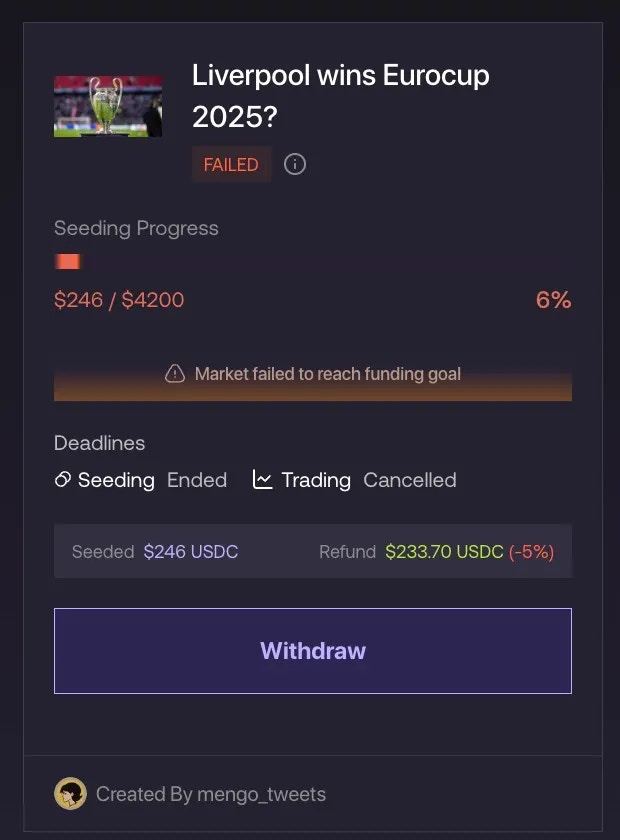
1. Market Status
Once failed, the market card will display a Failed label in red, along with all seeding progress data frozen at its final values. This visual cue lets users quickly identify markets that didn’t activate for trading.2. Withdrawing Your Funds
If you contributed liquidity to a failed market, you’ll see a Withdraw button appear on the card. You can click this button to reclaim your seeded funds directly from the contract.- A 5% penalty fee is applied to the withdrawn amount.
- This fee goes to the protocol and is designed to promote more mindful market creation and reduce spam submissions.
- Example: If you seeded $100, your withdrawal will return $95 after the penalty.
Canceled Markets
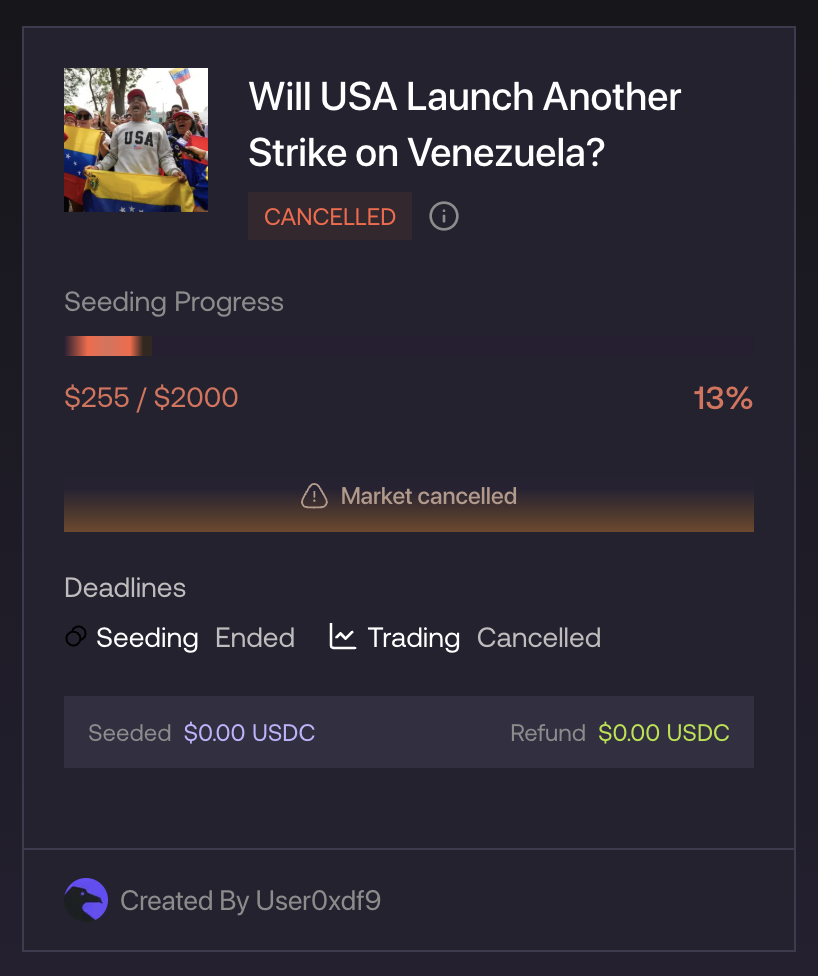
If a market resolves during the seeding phase, it will enter a Canceled state. In a canceled market:- Users can withdraw their funds
- No fees are charged
- No trading outcomes are settled
Resolved Markets
When a market reaches its resolution date and the outcome is verified, it moves into the Resolved state. This means the event has concluded, the results are confirmed, and payouts are ready.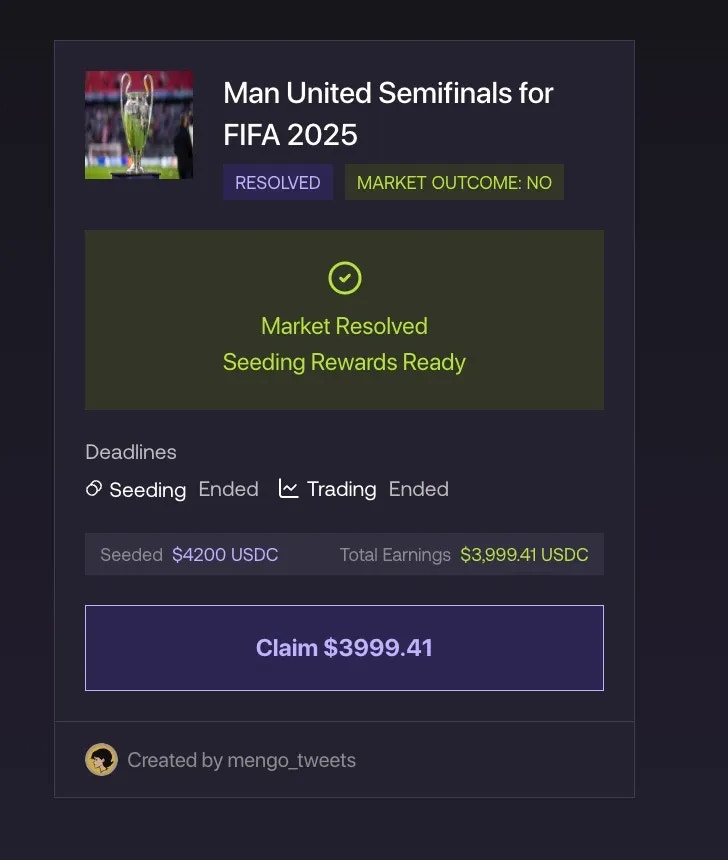
1. Viewing Results
Each resolved market card shows:- The final outcome (e.g., Position “YES” Won)
- Your seeded amount — how much you originally staked
- Your claimable amount - how much you can claim
2. Claiming Your Rewards
If your seeded position was on the winning side, the Claim (or Withdraw) button will become active. To receive your funds:- Click Claim / Withdraw.
- Confirm the transaction in your wallet.
- Your seeded funds plus winnings will be automatically transferred back to your wallet.