

This page applies to users using an embedded wallet (Email / Google sign-in).
If you are trading directly using your own crypto wallet, your funds already remain in your wallet and no withdrawal is required.
If you are trading directly using your own crypto wallet, your funds already remain in your wallet and no withdrawal is required.
Quick Overview
- Open your Portfolio and select Withdraw from the Available Balance panel.
- Enter your wallet address that supports the stable coin on the specific chain.
for more information :
Katana
Katana
Trading currency: vbUSDCContract Address: 0x203A662b0BD271A6ed5a60EdFbd04bFce608FD36Chain ID: 747474
Base
Base
Citrea
Citrea
BSC ( Binance Smart Chain )
BSC ( Binance Smart Chain )
- Specify the amount you want to withdraw (or select Max).
- Confirm the transaction and wait for on-chain processing.
- Funds will arrive in your wallet once the transaction is finalized.
Step-by-Step
1. Open the Withdraw Panel
From the Portfolio page, locate your Available Balance and click Withdraw.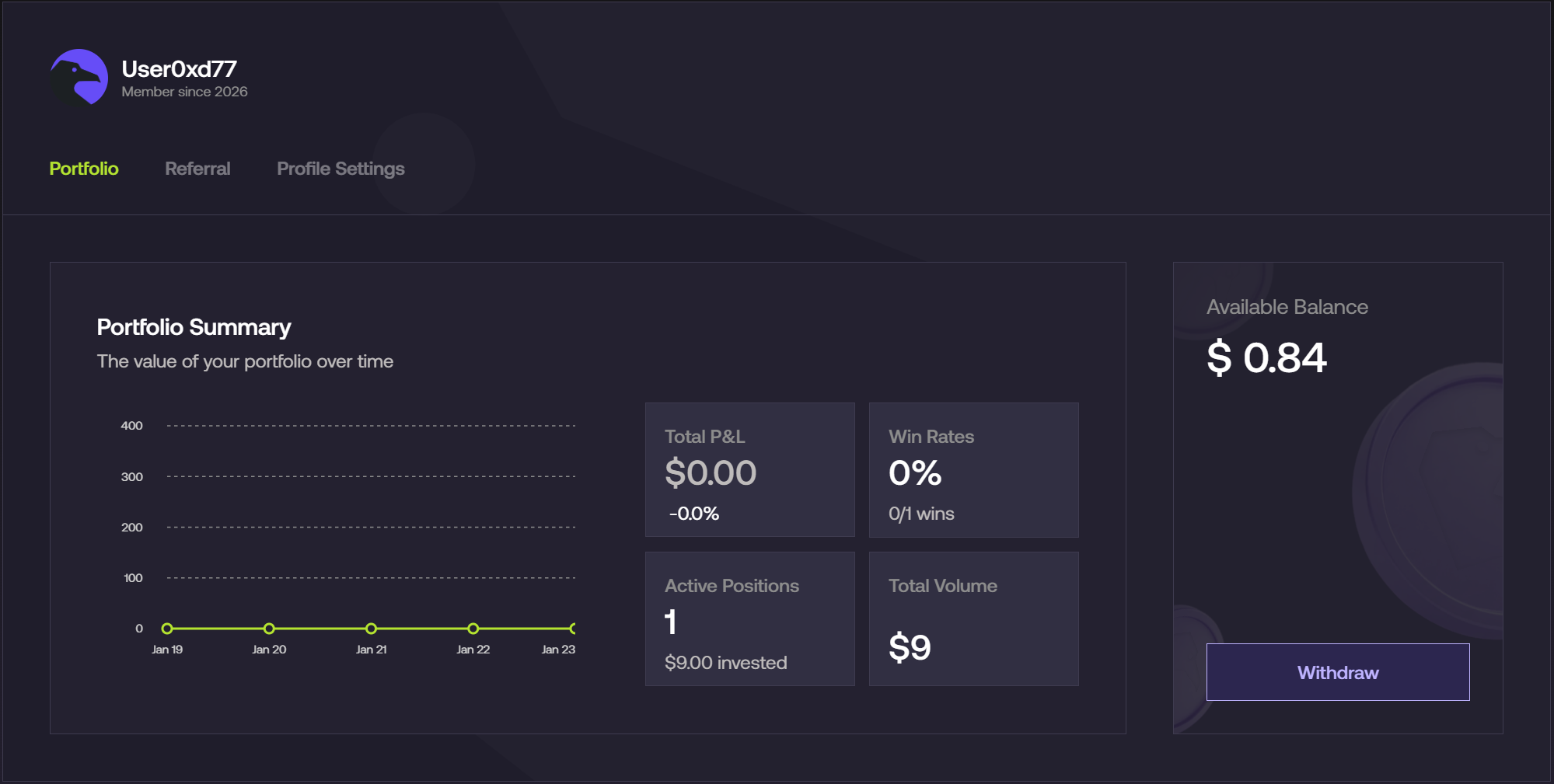
2. Enter Your Wallet Address
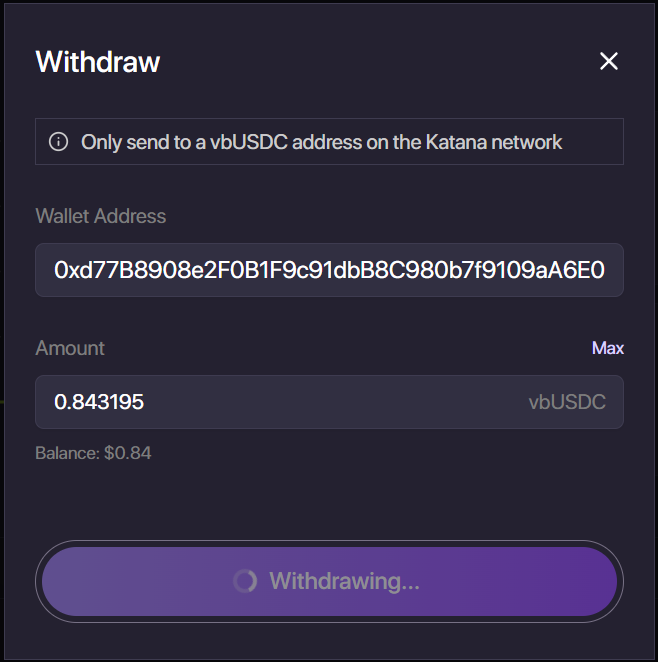
- Paste your wallet address into the Wallet Address field.
- Ensure the address supports the stablecoin and network currently selected (e.g., vbUSDC on Katana, USDC on Base, ctUSD on Citrea).
3. Enter Withdrawal Amount
Enter the amount you wish to withdraw, or click Max to withdraw your full available balance. The system will automatically validate your available balance.4. Confirm Withdrawal
Click Withdraw to submit the transaction.The status will change to Withdrawing… while the transaction is being processed on-chain. Once finalized, the funds will appear in your wallet.