

This method is primarily for users using an embedded wallet. Users trading directly from their own wallet may not need this flow.
Quick Overview
- Select Direct Transfer as your funding method.
- Choose the asset and amount you want to send.
- A deposit page will display a QR code, wallet address, required network, and exact amount.
- Send the funds from your wallet or exchange using the provided details.
- Your balance will update automatically once the transaction is confirmed on-chain.
Step-by-Step Flow
Open the Funding Menu
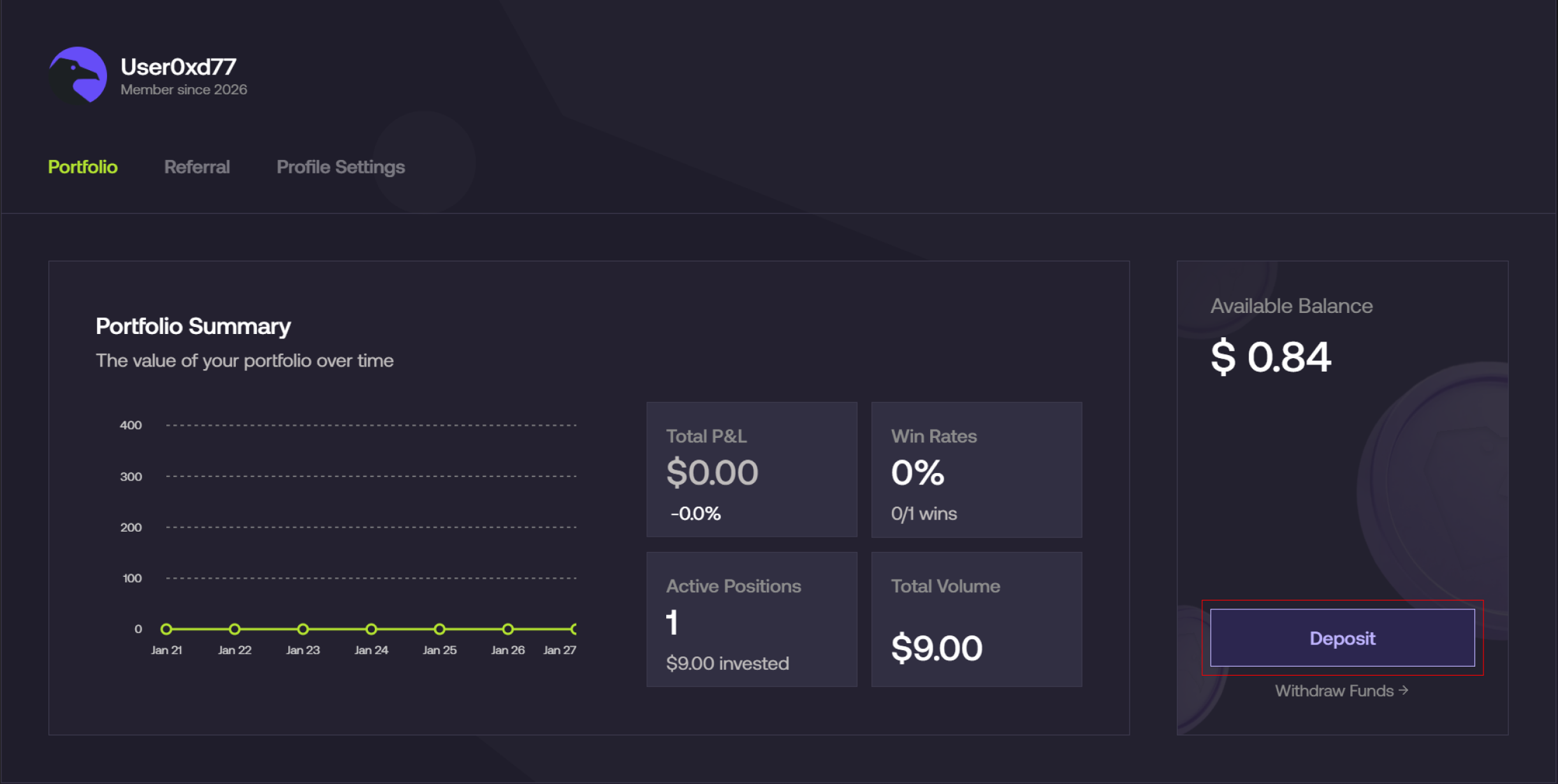
- From the Foresight app, navigate to Profile → Deposit.
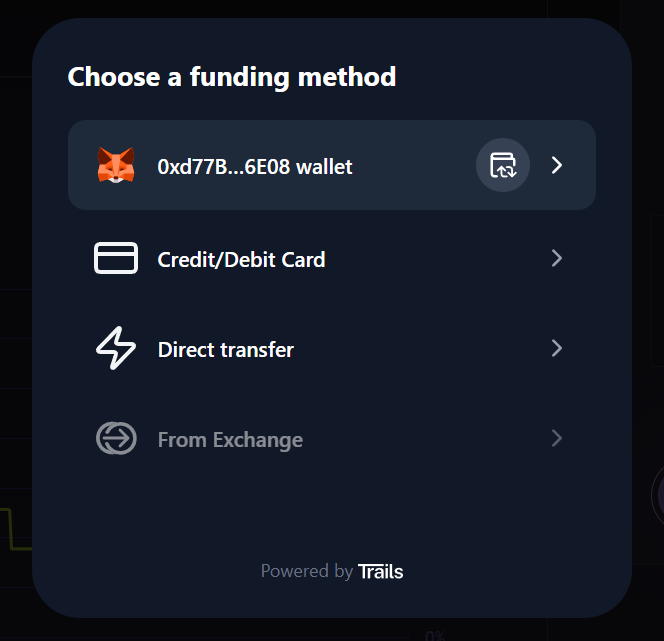
- Select Direct transfer as your funding method.
Select Asset and Amount
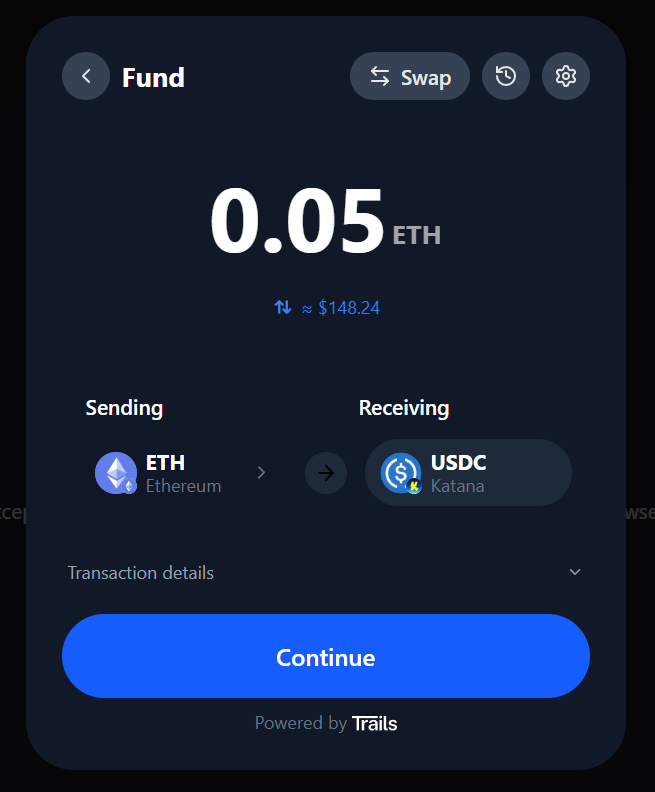
- Choose the asset you want to send (e.g., ETH on Ethereum).
- Enter the amount you want to deposit.
- Review the estimated conversion into the supported stablecoin (USDC) on your selected network.
- Expand Transaction details to view gas fees and bridge fees.
- Click Continue.
Copy the Deposit Address
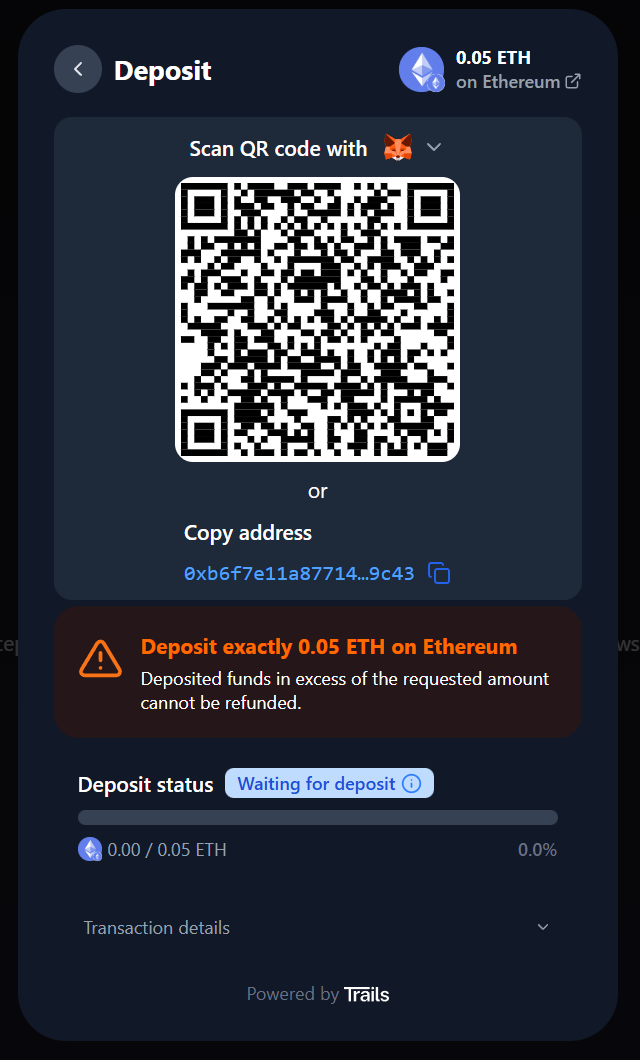
A unique deposit address and QR code will be generated.- Copy the address or scan the QR code using your wallet.
- Send the exact amount shown to this address.
Wait for Confirmation
- After sending, the deposit status will update automatically.
- Once confirmed, funds will appear in your Foresight balance as the supported stablecoin (USDC) on your selected network.